
Moving image
From camera card to final cut: organise a video project you can reopen
· Media Seed
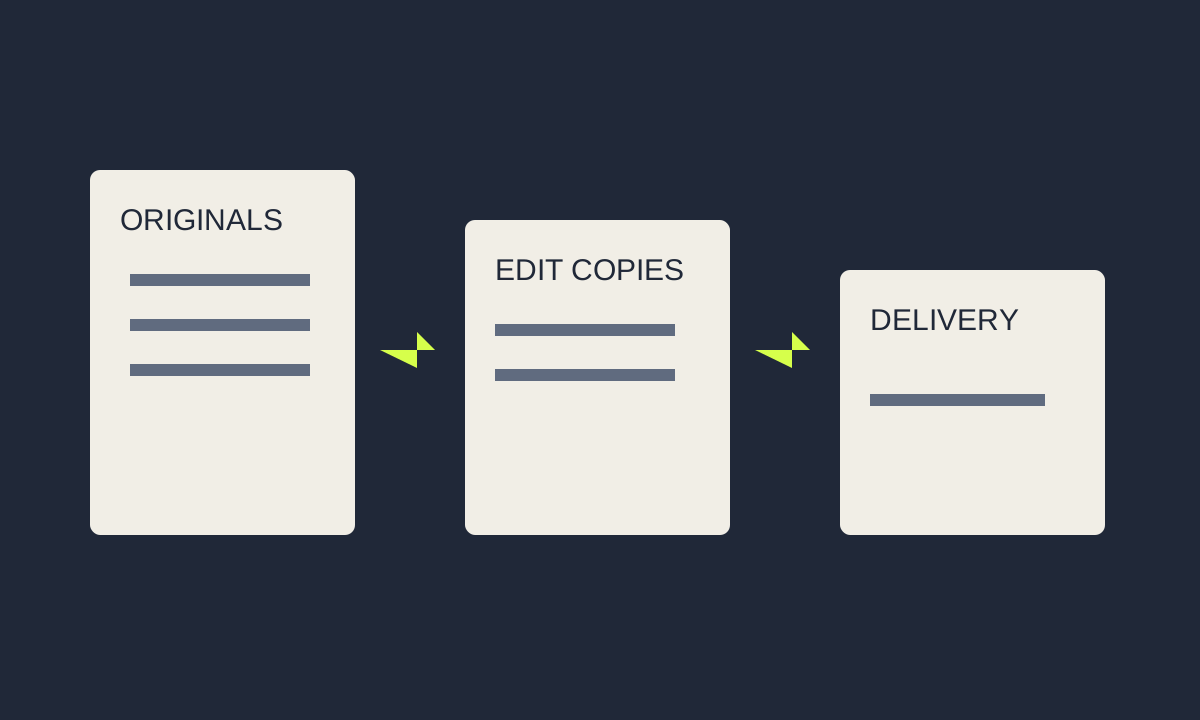
A finished video is only one part of a usable project. The edit may need a corrected name, a shorter version, different captions or an image replaced months later. If the original media has moved and nobody knows which export was approved, a ten-minute revision can become a complete reconstruction.
A sensible workflow keeps camera originals, working files and deliverables distinct. It also makes clear which material can be regenerated and which would be difficult or impossible to replace. You do not need an elaborate production server to do this; a small project needs understandable rules that everyone follows.
Start with a brief that describes the output
Before importing footage, write down where the video will appear, its intended audience, approximate duration, frame shape, language and accessibility needs. A landscape interview and a vertical social clip can share footage, but they do not share every framing decision. Knowing about both versions early prevents important details being placed at the edge of a shot.
Record who approves the final cut and what “approved” includes. Picture, sound, spelling, rights and captions may need different reviewers. A single named version with dated feedback is easier to manage than several exports all called “final”. Keep the brief alongside the project, so the editor does not have to search a message thread for a forgotten requirement.
Copy, verify, then organise
Copy the complete camera-card folder structure into a uniquely named folder. Some recording formats depend on files beside the obvious video clips. Avoid renaming or moving individual camera files after importing them unless the editing application provides a managed relinking workflow. Give the enclosing folders clear names instead.
Make a second independent copy before clearing a card. Open representative clips from both copies and check their duration and sound; for valuable footage, use a copy tool that verifies checksums. A synchronised folder is convenient, but deletion or corruption can also synchronise. Know how to retrieve an earlier version and keep a copy that is not being continually edited.
Project-name/
  01-brief-and-rights/
  02-originals/2026-10-21-camera-a/
  03-audio-and-graphics/
  04-edit-project/
  05-generated-media/
  06-review-exports/
  07-approved-delivery/
This is an example rather than a required naming standard. If your editor manages media inside a library, document that choice instead of forcing the library into a conflicting folder system. The important distinction is between an original asset, a project that references it and a temporary file generated to make editing easier.
Decide whether you actually need proxies
A proxy is a lighter editing copy associated with an original clip. It can make demanding footage more responsive on a modest computer. It is not a replacement for the original. In Final Cut Pro, for example, Apple distinguishes proxy media from optimised media: the latter uses a format intended for smoother processing, while proxy choices can reduce resolution and storage needs.
Test a representative section before converting an entire shoot. Include the most demanding clips and a realistic number of layers. If playback is already comfortable, proxies may add complexity without a meaningful benefit. If the timeline stutters, try a small proxy batch and compare the experience.
Keep the relationship between proxy and original intact. When reviewing focus, noise, fine graphics or colour, return to appropriate high-quality media. Before delivery, confirm that the export uses the intended source quality and that all originals are online. Different editors handle this switch differently; inspect the application’s current export settings rather than assuming a low-resolution preview cannot affect output.
Use versions that answer a question
Give review exports an incrementing version number and a clear purpose: structure review, factual review or final approval. Ask reviewers to refer to timestamps. “The name at 01:14 is wrong” is actionable; “some titles need fixing” is not. Keep feedback in one place and mark each item resolved or consciously deferred.
Duplicate or snapshot the edit before substantial structural changes. Do not build a forest of nearly identical projects with no explanation. A short change note is enough: “v03 shortens introduction and replaces interview answer two.” Keep the approved version identifiable even after work on a later variant begins.
Check the export as a separate object
A clean timeline does not guarantee a clean exported file. Watch the complete export, not just the preview inside the editor. Look for offline-media frames, accidentally disabled tracks, black gaps, clipped titles and unexpected letterboxing. Listen for abrupt edits and missing channels. Confirm that the duration matches the intended cut.
| Area | Question |
|---|---|
| Picture | Correct dimensions, framing, orientation and source quality? |
| Sound | All voices present, consistent and free of accidental silence? |
| Text | Names, dates and on-screen instructions checked? |
| Access | Captions synchronised with this exact cut? |
| Rights | Permission records cover the actual music and images used? |
| Playback | Does the delivered file work in its intended destination? |
Package the project for the next person
Keep the approved master, the distribution file, captions and a plain-text readme together. The readme should state the editor and version, where originals live, which fonts or licensed assets are required, and which file was approved. Include permissions that another editor will need, without publishing private correspondence.
Close and reopen the project before declaring the handover complete. If feasible, test a copy from a different folder so that hidden links to your desktop become obvious. Generated render files may be replaceable; the only copy of an interview is not. Make storage decisions based on that distinction.
For the next production, spend time on the two inputs that most strongly affect the finished experience: clear dialogue and an accessibility plan. Organisation supports those choices by making every revision predictable.
Reference: Apple’s guide to optimised and proxy media. Menu names and available formats vary by editor and version.